Check-in in seconds
Open the app, tap check-in, take a selfie. The time, photo and location are saved against that employee straight away.
Staff mark attendance on the iPresent app on their Android phone or iPhone. HR and owners see the full picture on a web dashboard. No biometric machine, no paper register, and Infoways sets it all up for you.
An attendance app replaces the muster register and the punching machine with something everyone already carries: a phone. iPresent is a mobile attendance app for Android and iPhone, with a web dashboard for HR and admin. Staff check in and check out in a few seconds, the time and place are saved, and the day’s attendance is ready before anyone opens a spreadsheet. It suits offices, factories, clinics, schools, sites and field teams, from ten people to many branches.
iPresent by Infoways means you are not left alone with a download link. Our team in Mahape, Navi Mumbai, imports your employees and shifts, sets your rules, trains your people and answers questions on phone and WhatsApp in Hindi, Marathi or English. We look after businesses in Mumbai, Thane, Pune and the rest of India.
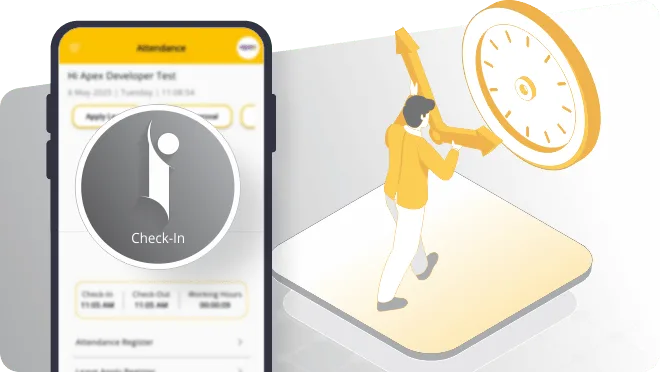
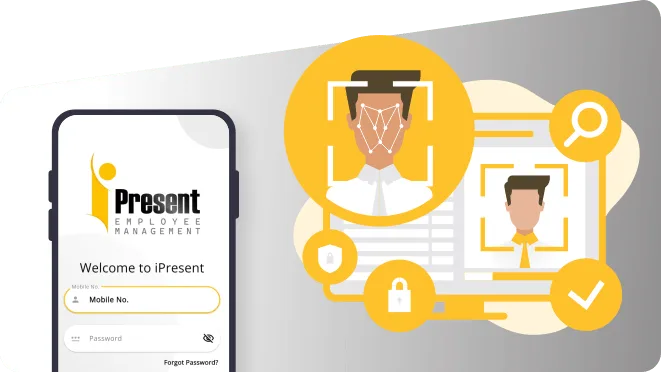
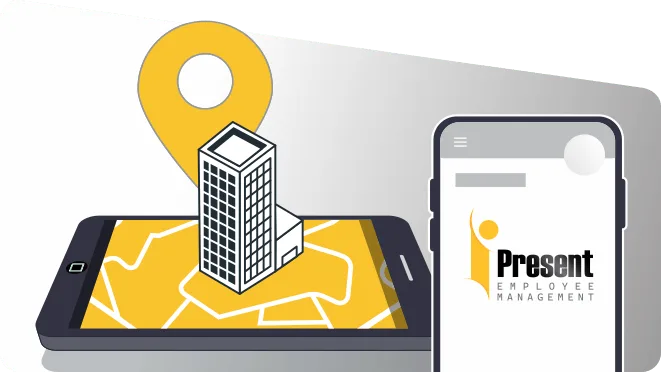
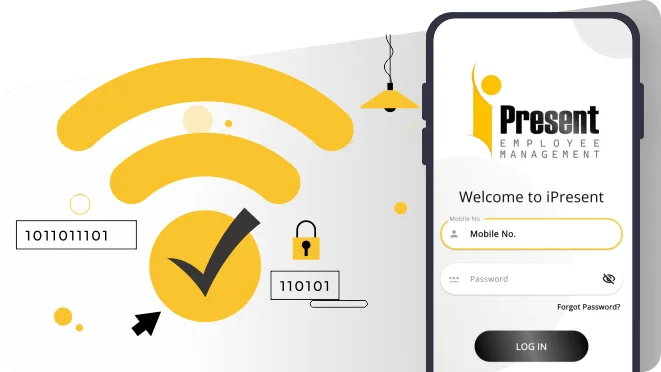
Pick the check-in method that suits each team. Mix them in one account.
Open the app, tap check-in, take a selfie. The time, photo and location are saved against that employee straight away.
For field and site staff, location is recorded at check-in and check-out. Geo-fencing allows attendance only inside the zones you set.
Office staff can be allowed to mark attendance only from your office network, so nobody marks present from home.
General, rotating and night shifts, with overtime handled in the same system instead of a separate register.
Each branch keeps its own staff and shifts, and the owner sees every location together on the web dashboard.
Attendance reports for the day or the month, plus notification alerts that keep staff and managers informed.
Book a demo with Infoways, try iPresent free for 9 days, and let us handle the setup and training.
Book a Free Demo| Person | 1What they do | 2What they get |
|---|---|---|
| Employee | Checks in and out from their own phone, applies for leave or comp-off, checks their attendance and the holiday calendar | No queue at a machine, and a record they can see for themselves |
| Reporting manager | Approves leave, sees who has checked in today, follows up on missed punches | Knows by mid-morning who is absent, instead of finding out at month-end |
| HR / admin (web user) | Sets shifts, holidays and leave rules, keeps employee records, downloads attendance reports | Month-end attendance that is already counted and ready for payroll |
| Owner / director | Opens the dashboard to see all branches side by side | One view of every location without phoning each branch |
| Accounts (Tally plan) | Runs payroll from attendance with salary rules and syncs entries to Tally | Fewer manual entries and less re-checking |
App users and web users are priced separately. See iPresent pricing for the yearly rates, and employee self-service for everything staff can do on their own.
Take a manufacturer in TTC MIDC with a day shift and a night shift. At 7 am the first shift arrives. Workers who do not carry smartphones mark face attendance on one shared phone or tablet at the gate, so no card or personal phone is needed. Supervisors check in on their own phones. By 8 am the HR executive can see who is in and who has not turned up, and can call in a replacement before the line is short.
In the evening the night shift starts and the same thing happens, with overtime recorded against the people who stay back. At month-end nobody counts register pages. HR downloads the attendance report, checks a handful of exceptions and passes it on for salary. On the Tally-integrated plan, payroll is processed inside iPresent and the entries go to Tally.
We ask how many people and branches you have, which shifts you run and how attendance is marked today, then show iPresent working on a real phone.
A few employees use the app on their own phones for nine days, so you see real check-ins before you decide.
We load your employee list, departments, shifts, holidays, leave rules and branch locations, so day one does not start with a blank screen.
We agree with you who checks in by selfie, who by GPS or geo-fence and who by office Wi-Fi, and set it up branch by branch.
A short session for HR and managers on the web dashboard, and a simple walkthrough for staff on installing the app and checking in.
Once you are live, our Navi Mumbai team answers questions on phone and WhatsApp in Hindi, Marathi or English.
iPresent is priced per user per year, not per machine. The Standard plan covers attendance, asset management and employee self-service at Rs 270 per app user per year. Each person who works on the web dashboard, usually someone in HR or admin, is Rs 3,600 per year. GST is extra. So a 50-person office with one HR web user pays Rs 13,500 for app users plus Rs 3,600 for the web user, before GST.
If you also want expense claims, timesheets or payroll with Tally, the higher plans add those. The full comparison is on the iPresent pricing page.
An app works only if people use it. If most of your workers do not have smartphones and you do not want a shared device at the gate, a phone app will be a struggle. Some factories do not allow phones on the shop floor at all. In that case a shared face-attendance device at the entrance is the better route, and we will say so on the first call.
The other common mistake is switching on every rule on day one. Start with check-in, check-out and shifts. Add geo-fencing, overtime rules and leave approvals once people are used to the app. Tell staff why you are switching: it also means fewer arguments about pay for days they really worked.
The attendance app is the start. These pages cover the rest.
Ask us on WhatsApp. A real person from our Navi Mumbai team replies.
Ask on WhatsAppAndroid phones through the Google Play app and iPhones through the App Store app. HR and admin use the web dashboard in a browser.
No. Attendance is marked on phones. If some staff do not have a phone, one shared phone or tablet at the entrance can be used for face attendance.
Only if you allow it. You can limit office staff to checking in on your office Wi-Fi or network, or only inside a geo-fenced zone around the office.
Yes. Shift scheduling covers general, rotating and night shifts, and overtime is managed in the same system.
Yes, a 9-day free trial. Infoways can also give you a live demo first, so you know exactly what to test during those nine days.
It depends on how ready your employee and shift data is. A single office moves fast; multi-branch setups take longer because each branch has its own shifts and locations.
Yes. Employees view their attendance and the holiday calendar in the app, and apply for leave or comp-off from the same place.
Infoways. Our team in Mahape, Navi Mumbai, supports iPresent customers on phone and WhatsApp in Hindi, Marathi and English.
Book a demo with Infoways, try iPresent free for 9 days, and let us handle the setup and training.
Book a Free DemoTell us what you want to achieve with your website, software, SEO or AI automation. We reply within one business day, usually the same day, with specific advice, at no cost and with no commitment.
We’ll go through what you send and get back to you within one business day, usually the same day.
Want a faster reply? WhatsApp us