Apply from the phone
Staff pick the dates and leave type in the app and send the request. No form to print or sign.
Staff apply for leave and comp-off on the iPresent app, managers approve it, and the attendance record updates itself. No leave forms, no WhatsApp approvals to dig up later, no month-end arguments.
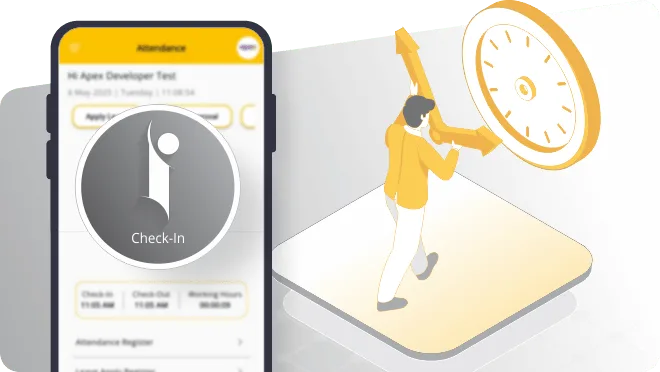
A leave management system keeps every leave request, approval and holiday in one place, and connects it to attendance so salary is worked out on the right days. In iPresent, leave is not a separate tool. Employees apply for leave or comp-off from the same app they use to check in, managers approve it, and the day shows correctly in the attendance report HR uses for payroll.
Most companies we meet run leave on a mix of paper forms, Excel sheets and WhatsApp messages. That works until someone disputes their leave count, or HR changes and nobody can find last year’s record. iPresent by Infoways moves leave and attendance online together, and our team in Navi Mumbai sets up your leave rules and holidays for you. We work with businesses in Mumbai, Thane, Pune and across India.
One flow from request to the salary sheet.
Staff pick the dates and leave type in the app and send the request. No form to print or sign.
The reporting manager approves or rejects, and notification alerts keep both sides informed.
When someone works a Sunday or a holiday, they apply for comp-off against it instead of it being forgotten.
Your holiday list is visible to staff in the app, so nobody applies for leave on a day that is already off.
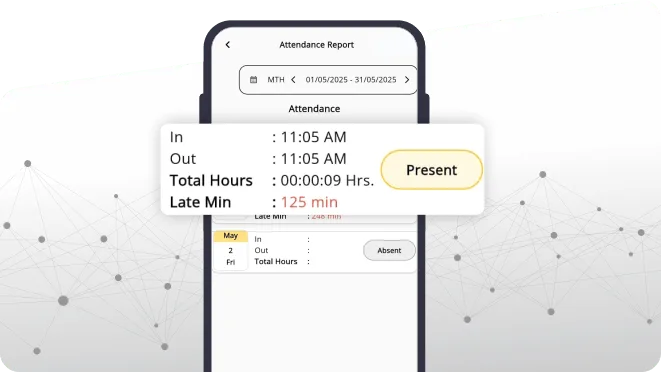
Approved leave appears in the attendance record, so the monthly report shows present, absent and leave days clearly.
With the Tally-integrated plan, payroll is processed from attendance and salary entries sync to Tally.
Book a demo with Infoways and try iPresent leave and comp-off free for 9 days. We set up your rules and holidays.
Book a Free Demo| What matters | 1Paper leave register | 2Excel sheet | 3iPresent leave management |
|---|---|---|---|
| Applying for leave | Fill a form and find the manager to sign it | Email or WhatsApp, then HR updates the sheet | Apply in the app in under a minute |
| Approval trail | A signature on paper, easily lost | Scattered across chats and inboxes | Recorded against the request |
| Comp-off | Usually remembered, rarely written down | An extra column few people update | Applied for and approved like any other leave |
| Link to attendance | Manual cross-check at month-end | Two sheets that never quite agree | Approved leave reflects in attendance |
| Staff checking their own record | Only by asking HR | Only if HR shares the file | Yes, in the app |
| Several branches | Each branch keeps its own book | Many versions of one file | One central dashboard |
| When the HR person changes | History sits in old files and cupboards | Depends on who saved what, where | Everything stays in the system |
Leave is one part of the wider HR management software. To calculate salaries from attendance and leave, see payroll management.
Think of a chain of five clinics across Thane, from Ghodbunder Road to Kalwa. Each clinic needs a minimum number of nurses and front-desk staff every day. Under the old system, leave was approved over the phone and the operations head found out about clashes on the morning itself. With iPresent, a nurse applies for leave in the app, the clinic manager sees it, and the operations head can check every clinic’s attendance on one dashboard before more leave is approved for the same week.
When a nurse covers a Sunday at another clinic, she applies for comp-off against that day. HR does not have to remember it, and she does not have to argue for it three months later.
We go through your current leave policy: leave types, yearly entitlement, comp-off practice and who approves what.
Employees, reporting managers and where each person stands on leave today are loaded, so nobody starts from zero by mistake.
We set up your leave rules, the holiday calendar and reporting managers for every branch.
Managers learn to approve in the app; HR learns to read the attendance and leave reports.
We give you a short note for employees on how to apply for leave and comp-off in the app.
Through your first month-end and after, our team helps on phone and WhatsApp in Hindi, Marathi or English.
Leave management comes with attendance on the Standard plan, at Rs 270 per app user per year plus Rs 3,600 per web user per year, GST extra. There is no separate leave module to buy. Payroll and the Tally connection sit on the higher plan and the Tally add-on (Rs 3,600 per year); iPresent pricing shows which combination fits your team.
Software will not fix an unclear policy. If your managers approve leave in different ways today, write down one rule first: how many casual, sick and earned leaves people get, whether unused leave carries forward, and how comp-off is earned and when it lapses. Entitlements also depend on the law that covers you, such as your state’s Shops and Establishments rules or the Factories Act, so check those while writing the policy.
The second mistake is loading wrong opening numbers. Check each employee’s current leave position with their department before go-live. One wrong figure on day one causes more complaints than a whole year on paper.
And if you have five people in one room who rarely take leave, a simple register may honestly be enough. Software pays off once you have several managers, shifts, more than one location or regular comp-off.
Ask us on WhatsApp. A real person from our Navi Mumbai team replies.
Ask on WhatsAppYes. Comp-off is applied for in the app like any other leave, against the extra day worked, and goes to the manager for approval.
The employee’s reporting manager. Infoways sets up the reporting structure for each branch when we import your data.
Yes. Leave and attendance live in the same system, so an approved leave day shows as leave in the attendance report, not as an absence.
Your leave rules are set up during onboarding. Share your policy with us and we will configure it, and tell you up front if any rule needs a different approach.
Yes. The holiday calendar is visible in the app, next to their own attendance.
No. It is part of the attendance features in iPresent and is included from the Standard plan.
On the Tally-integrated plan, payroll is processed from attendance using your salary rules and entries sync to Tally. Without it, HR downloads the attendance report for whoever runs payroll.
Book a demo with Infoways, then use the 9-day free trial with a few employees and one manager to see the full leave flow from request to report.
Book a demo with Infoways and try iPresent leave and comp-off free for 9 days. We set up your rules and holidays.
Book a Free DemoTell us what you want to achieve with your website, software, SEO or AI automation. We reply within one business day, usually the same day, with specific advice, at no cost and with no commitment.
We’ll go through what you send and get back to you within one business day, usually the same day.
Want a faster reply? WhatsApp us