Selfie on the employee’s phone
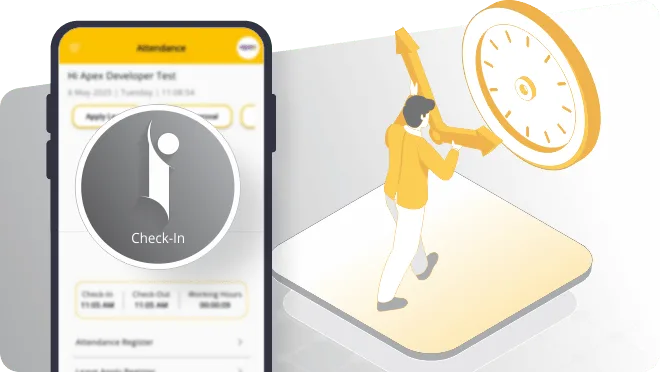
Best for office staff, managers and field teams. Check-in takes a few seconds and can record location too.
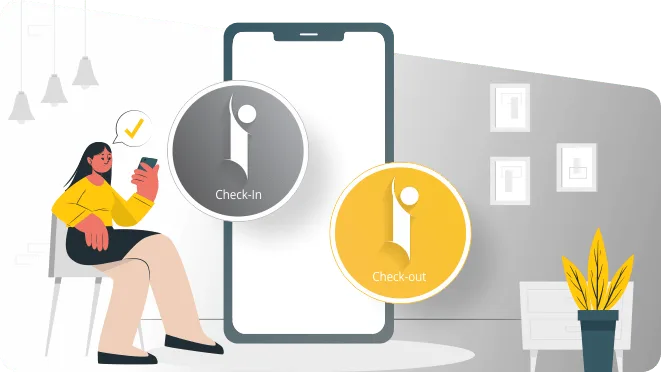
Staff check in with a selfie on their own phone, or look into one shared device at the gate. The face confirms who it is, so nobody marks attendance for an absent friend. No fingerprint scanner and no cards to hand out.
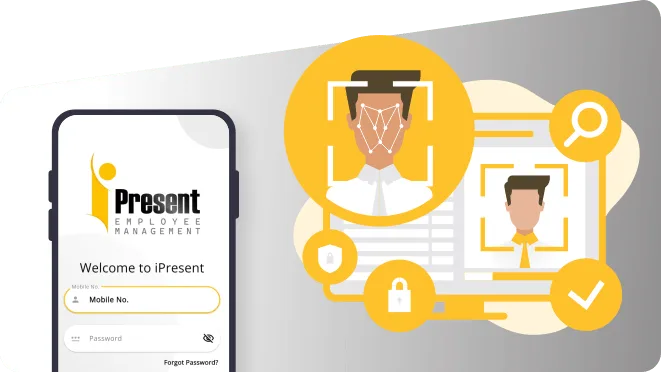
Face recognition attendance checks that the person marking attendance really is that employee, by matching their face instead of a fingerprint or a card. iPresent does this on a phone. Staff take a selfie in the iPresent app to check in and out. Where people do not carry phones, they walk up to one shared device at the gate and look at the camera. There is no biometric machine to buy and no ID card to issue.
This is iPresent by Infoways, so our Navi Mumbai team enrols your employees, helps set up gate devices if you want them and trains your supervisors. It works well for factories, clinics, schools, construction sites and offices in Mumbai, Thane, Pune and across India.
Most businesses use both, depending on the team.
Best for office staff, managers and field teams. Check-in takes a few seconds and can record location too.
Best for factory workers, housekeeping, security and site labour. No personal phone or ID card needed.
A colleague cannot simply mark attendance for someone who is absent, because the check-in needs that person’s face.
Combine face check-in with GPS, geo-fencing or office Wi-Fi so you know both who checked in and where.
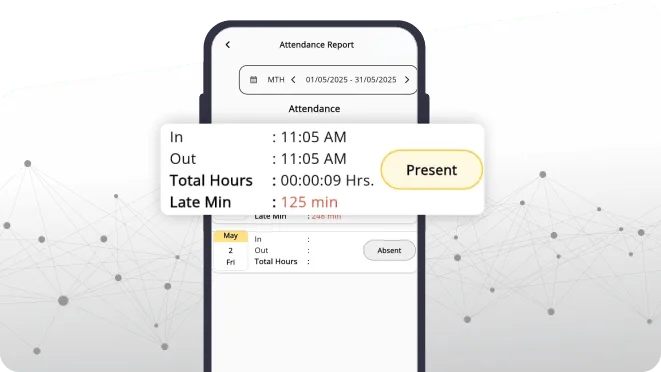
Every face check-in counts toward shift hours and overtime without anyone retyping it from a machine.
No shared fingerprint sensor, which staff in clinics and food units often prefer.
Book a demo with Infoways and try iPresent face check-in free for 9 days, at your office, site or gate.
Book a Free Demo| Point to compare | 1iPresent face attendance | 2Fingerprint machine | 3RFID / ID card |
|---|---|---|---|
| Hardware to buy | None for phone users; one phone or tablet if you want a gate device | One machine per entrance or branch, and a replacement when it fails | A card reader per entrance, plus a card for every employee |
| Can someone punch for a colleague? | Difficult, the face has to match | Difficult in normal use | Easy, anyone can carry a friend’s card |
| Worn or dirty fingers (construction, loading, kitchens) | Not affected | Often fails to read, so staff stand and retry | Not affected |
| Field and remote staff | Selfie check-in from anywhere, with GPS | Not possible, they must come to the machine | Not possible |
| Shared contact surface | None on their own phone | Everyone presses the same sensor | None |
| Getting data to HR | On the web dashboard as it happens, all branches together | Often needs software on a local PC to pull the data | Similar to fingerprint machines |
| When something breaks | Use another phone; records are in the cloud | Attendance stops until the machine is repaired | Lost cards need to be reissued |
Many teams mix methods: selfie for staff with phones, and a shared face device for those without. The attendance app page covers the other check-in options.
Picture a contractor running three building sites in Kharghar and Ulwe. Site labour changes week to week, many workers do not own smartphones, and hands rough from cement and steel make fingerprint machines fail again and again. With iPresent, each site supervisor keeps one shared phone at the site gate. Workers look at the camera when they arrive and when they leave. A geo-fence around each site means check-ins only count at that site. Supervisors and engineers mark their own attendance by selfie.
The contractor’s office in Belapur sees all three sites on one dashboard. When a site shows fewer workers than planned, the project manager knows before lunch, not when the labour bill arrives at the end of the month.
We find out who has smartphones, who does not, how many gates you have and whether phones are allowed inside.
We load your staff list with departments, shifts, holidays and branches.
Each employee’s face is registered at the start. We guide supervisors to do this in good light, without caps, helmets or masks.
Where needed, we help set up a shared phone or tablet at the entrance and decide whether to add GPS, geo-fence or Wi-Fi checks.
Supervisors learn how to add a new joiner and what to do when a check-in fails; staff learn the two-second routine.
Phone and WhatsApp help in Hindi, Marathi and English from our Mahape office.
Face attendance is part of every iPresent plan, so there is no separate hardware bill. The Standard plan is Rs 270 per app user per year and a web dashboard user is Rs 3,600 per year, plus GST. If you want a gate device, you choose the phone or tablet. All plans are listed on iPresent pricing.
With fingerprint machines, cost grows with every new branch or gate, and each one needs repairs and someone to pull data out of it. With iPresent, a new branch means a few more users and a new location in the dashboard.
Poor enrolment photos cause most failed matches later. Take them in good light, face straight on, and redo any blurry ones on day one. Place a gate device where the light stays fairly even through the day. Strong sunlight directly behind the person is a common problem at factory gates.
Think about consent and privacy too. A face is personal data. Tell employees what is captured and why, use it only for attendance, and write it into your HR policy. India’s Digital Personal Data Protection Act makes clear notice and a stated purpose part of good practice.
Face attendance is also a poor fit where staff must keep their face covered for the whole shift, such as some clean rooms. There, GPS or Wi-Fi based check-in is the better choice.
Ask us on WhatsApp. A real person from our Navi Mumbai team replies.
Ask on WhatsAppYes. iPresent uses the camera on a phone: either the employee’s own phone for selfie attendance, or one shared device at the gate.
Keep a shared phone or tablet at the entrance. Workers check in by face on that device, with no personal phone or ID card needed.
That is the main reason companies switch. Because the check-in is matched to the employee’s face, one person cannot simply mark attendance for an absent friend.
Yes. Field staff take a selfie on their own phone, and the check-in can also record GPS location or be limited to a geo-fenced area.
In iPresent, yes. The selfie the employee takes in the app is what confirms it is them, whether on their own phone or on the gate device.
Most failed matches come from poor light, a helmet or cap, or an unclear enrolment photo. Fix the cause and try again. During training, Infoways helps you agree a simple fallback for genuine problems.
Face data is personal data, so treat it with care. Ask Infoways in the demo how iPresent stores and protects it, and add face attendance to your HR policy so staff know what is collected and why.
Yes. Many teams use face at the gate for workers, selfie with GPS for field staff and Wi-Fi check-in for office staff, all in one account.
Book a demo with Infoways and try iPresent face check-in free for 9 days, at your office, site or gate.
Book a Free DemoTell us what you want to achieve with your website, software, SEO or AI automation. We reply within one business day, usually the same day, with specific advice, at no cost and with no commitment.
We’ll go through what you send and get back to you within one business day, usually the same day.
Want a faster reply? WhatsApp us