Location on every punch
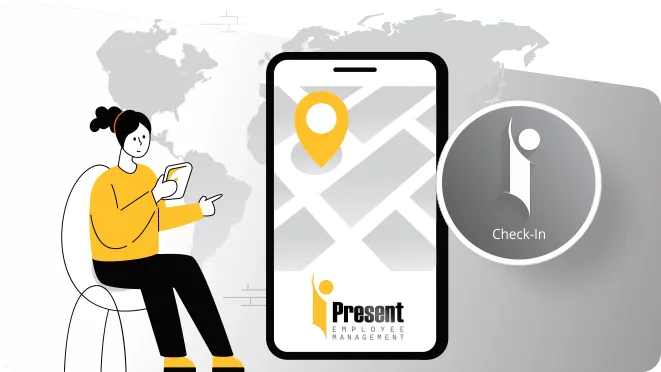
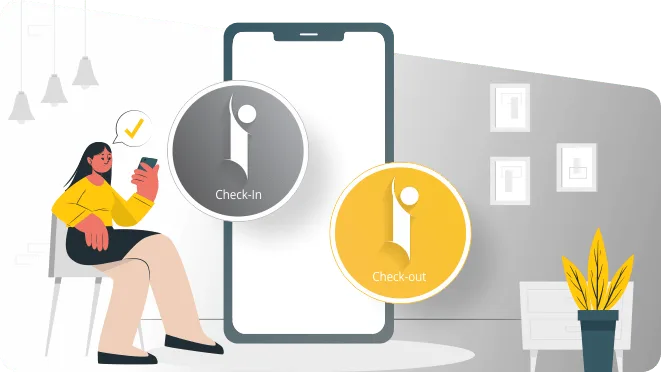
Check-in and check-out each save the GPS location, so you can see where the working day began and ended.
See where your field team checked in, where they checked out and which client visits they marked in between. iPresent records location at each punch, with geo-fencing for fixed sites. Attendance with proof of place, not all-day surveillance.
A field employee tracking app should answer three questions: did this person start work, where were they when they did, and which visits did they make. iPresent answers them with GPS attendance. When a field employee checks in or out on the iPresent app, the location is saved with the time, and a selfie can be added as proof of who it was. Geo-fencing lets you accept attendance only inside set zones, such as a warehouse, a hospital or a project site. Multiple check-ins in a day let a sales rep mark each client visit.
What it does not do is follow staff around all day. iPresent verifies location at check-in and check-out, not continuously. For most Indian businesses that is the right balance: proof of presence without the battery drain, staff pushback and privacy questions that come with live tracking. iPresent by Infoways is set up and supported from our office in Mahape, Navi Mumbai, for teams across Mumbai, Thane, Pune and India.
Location proof at the moments that matter.
Check-in and check-out each save the GPS location, so you can see where the working day began and ended.
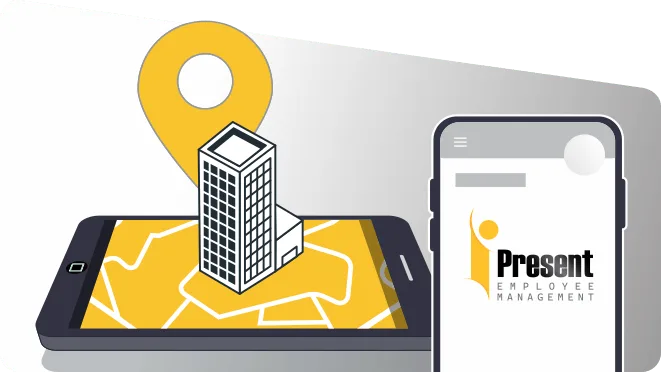
Set zones around fixed workplaces. Attendance is accepted only inside them, which stops check-ins from home or a tea stall.
Reps check in and out at each client, chemist or dealer, building a simple record of the day’s visits.
Add a selfie so the right person checked in, not a colleague holding their phone.
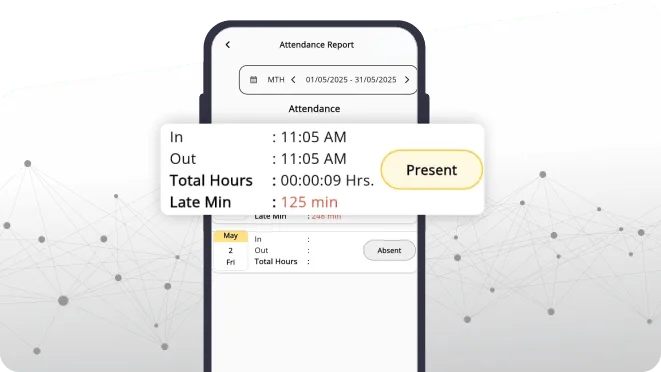
The web dashboard shows field attendance across cities and branches in one place.
Travel requests, advances and expense claims can sit in the same app on the Essential Expenses or Enterprise plan.
Book a demo with Infoways and try iPresent GPS attendance free for 9 days with a few of your reps.
Book a Free Demo| Method | 1How it works | 2Best for | 3Keep in mind |
|---|---|---|---|
| GPS check-in | Location is saved when the employee checks in and out from the app | Sales reps, service engineers and collection staff whose starting point changes daily | Shows where each punch happened, not the route in between |
| Geo-fencing | Check-in is accepted only inside a zone you set | Site staff, clinic staff, warehouse and depot teams with a fixed place of work | Set the zone size sensibly; GPS can drift a little indoors and between tall buildings |
| Multiple check-ins and check-outs | Staff punch in and out at each visit during the day | Pharma reps, dealer visits, field audits, service calls | Only as good as the habit of marking every visit |
| Wi-Fi / IP attendance | Check-in is allowed only from your office network | Back-office and head-office staff | Not for field staff, who are not on your network |
| All-day live GPS tracking | The phone reports location non-stop through the day | Fleets and security patrols that need a live map | iPresent does not do this. It checks location at each punch. Use a vehicle tracker if you need a live map. |
Office and field staff can use different methods in the same account. For staff who do not carry phones, see face attendance on a shared device.
A pharma company has 25 medical reps covering Vashi, Nerul, Panvel and Kalyan. Before, reps sent a WhatsApp message saying they had started, and the area manager had no way to check it. With iPresent, each rep checks in at the first doctor’s clinic of the day, then checks in and out at every chemist and doctor after that. The area manager sees the day’s punches and their locations on the dashboard, and the monthly review starts from facts instead of claims.
A logistics firm in JNPT and Uran works differently. Its yard supervisors and loading staff stay at fixed yards, so the company draws a geo-fence around each yard. Attendance only counts inside it, and the night shift runs through shift scheduling with overtime recorded in the same place.
We list which staff are in the field, which work at fixed sites and which sit in the office.
We add your branches, depots and sites, and set geo-fences where they make sense.
Employees, reporting managers, shifts and leave rules are loaded in one go.
We help you decide when reps must check in, how visits are marked and what counts as a missed punch.
Area managers learn to read the dashboard; reps learn to punch at each visit in a few seconds.
Questions go to our team on phone or WhatsApp, in Hindi, Marathi or English.
GPS attendance and geo-fencing are part of the Standard plan at Rs 270 per app user per year, plus Rs 3,600 per year for each web dashboard user, with GST extra. If your reps also file travel claims, the Essential Expenses plan at Rs 450 per app user per year adds expenses and approvals. Details are on iPresent pricing and the expense management page.
Tell staff exactly what is recorded: location at each check-in and check-out, nothing in between. Put it in writing. Field staff accept GPS attendance far more readily when they know they are not watched all day, and when it also protects them, for example when a client says a visit never happened.
Mistakes we see: geo-fences drawn too tight, so genuine staff fail to punch inside a large factory compound; asking reps to mark visits but never looking at the data; and treating punch locations as the only measure of performance. Visits are a start. Orders and outcomes still matter.
If you need a live map of vehicles or a guard’s patrol route minute by minute, iPresent is not the right tool. A GPS vehicle tracker or patrol system fits better, and you can still run attendance on iPresent.
Ask us on WhatsApp. A real person from our Navi Mumbai team replies.
Ask on WhatsAppNo. It records location when staff check in and check out, including any extra check-ins during the day. It does not show a continuous live map.
Use geo-fencing for anyone with a fixed workplace, so check-in is accepted only inside the zone you set. For office staff, Wi-Fi or IP based attendance is another option.
Yes. Multiple check-ins and check-outs are allowed in a day, so each visit is marked with its own time and location.
GPS can be less accurate inside large buildings or basements. Keep geo-fences a little larger than the building, and ask staff to punch near an entrance if needed.
Recording location at check-in for attendance is common practice. Tell employees in writing what is recorded and why, keep it limited to work, and follow the notice and purpose principles of the Digital Personal Data Protection Act. Take legal advice for your own case.
Add selfie or face check-in to GPS. Then the person in the photo has to be the employee, not a colleague holding the phone.
No. Staff use their own Android phone or iPhone. There is no tracker or machine to carry.
Yes. Leave and comp-off requests go from the app to the manager, so field staff do not have to come to the office.
Book a demo with Infoways and try iPresent GPS attendance free for 9 days with a few of your reps.
Book a Free DemoTell us what you want to achieve with your website, software, SEO or AI automation. We reply within one business day, usually the same day, with specific advice, at no cost and with no commitment.
We’ll go through what you send and get back to you within one business day, usually the same day.
Want a faster reply? WhatsApp us