Trial balance
Every account head with its debit and credit balance for the period.
Every bill, receipt and vendor payment posts to double-entry books as it happens. The treasurer sees the trial balance today, the auditor gets a read-only login, and the books export as Tally XML journals. Part of SocietyConnect, free for 90 days.
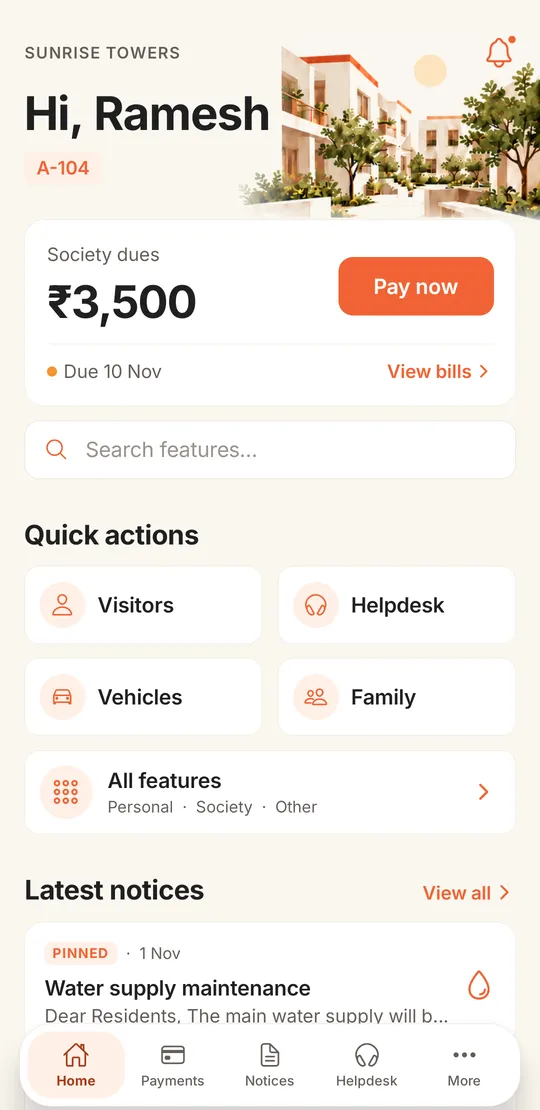
Most society treasurers find out the books do not balance in June, when the auditor asks for the trial balance.
Through the year the receipts sit in one register, the expenses in a file of vouchers and the bank in a passbook. Somebody posts it all to Tally in a rush before the audit. The auditor finds a sinking fund booked as income, a vendor paid twice and forty receipts nobody can place, and the AGM gets a balance sheet three months late.
In SocietyConnect the books are a by-product of the daily work. Raising a bill posts the income and the member’s receivable. Confirming a payment posts the receipt. Paying a vendor posts the expense, the TDS and the bank entry. The committee can open the income and expenditure statement on any day of the year and see real numbers, and the auditor starts from books that already balance.
Pick a period and each report is built from the same double-entry ledger, so the numbers agree with each other.
Every account head with its debit and credit balance for the period.
This year next to last year, with the budget and the variance.
With sinking and repair funds shown as funds, apart from income.
Cash and bank movements for the period, the way many AGMs want them.
Any account head, any period, down to each journal line.
One flat’s bills and payments in date order, with interest accrued.
Two years side by side for the AGM papers.
Set a yearly budget per head and track spending against it.
Month by month spending per head, to spot a rising electricity bill early.
Tick cleared entries or import the bank statement as CSV.
GSTR-3B and GSTR-1 figures with CGST, SGST and IGST split.
Quarterly TDS report with vendor PAN, challan details and certificates.
The schedules an auditor asks for, gathered for the year.
Form I and Form J registers from the member records.
FD register with interest accrued to date and the fund each FD is kept for.
Who created, changed or reversed every money entry, and when.
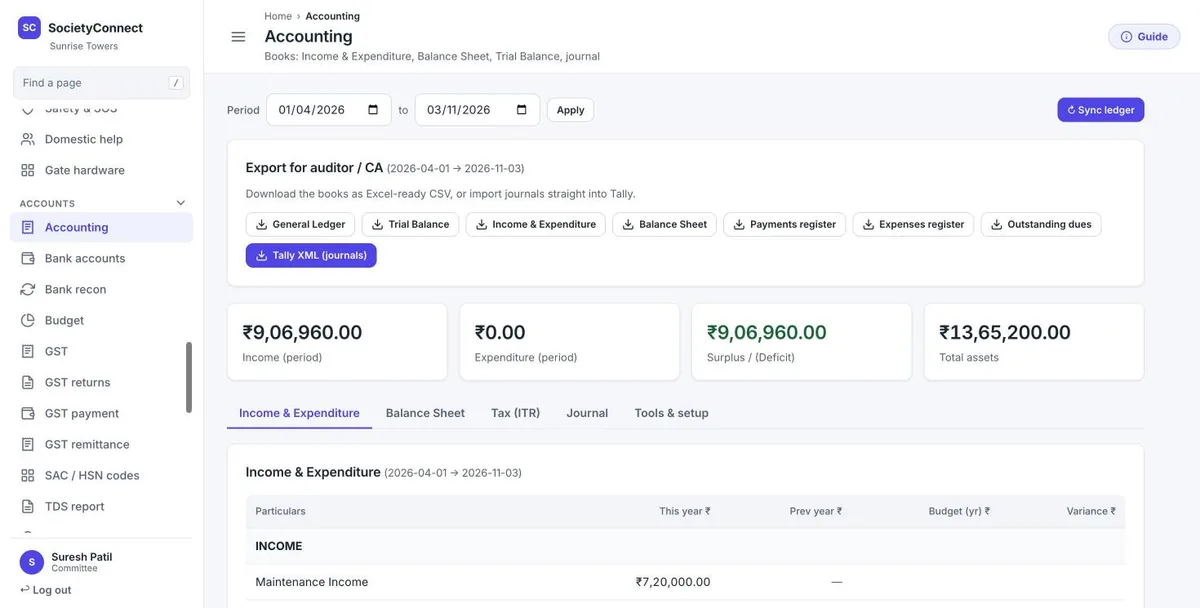
Pick a period and the page shows income, expenditure, surplus or deficit and total assets. Tabs underneath hold the income and expenditure statement, the balance sheet, an income tax view and the journal.
The export row gives the CA and the auditor what they usually ask for by email: the general ledger, trial balance, income and expenditure, balance sheet, payments and expenses registers and outstanding dues as Excel-ready CSV, plus Tally XML journals.
Every flat’s arrears and every account head’s opening balance come in from a spreadsheet, so the year starts from your audited figures.
Each money event posts a balanced journal. Manual journals, multi-line journals and reversals are there for the accountant’s adjustments.
Import the bank statement as CSV and SocietyConnect ticks off what matches. Re-importing the same statement does not clear anything twice.
Record the TDS deposit with challan details, run the 26Q report and Form 16A, and take GSTR-3B and GSTR-1 figures for the return.
Close the year and carry balances forward. Closing also locks the year so nothing dated in it can change.
The audited period stays locked. Any correction goes in as a fresh entry in an open period, with the audit trail showing who made it.
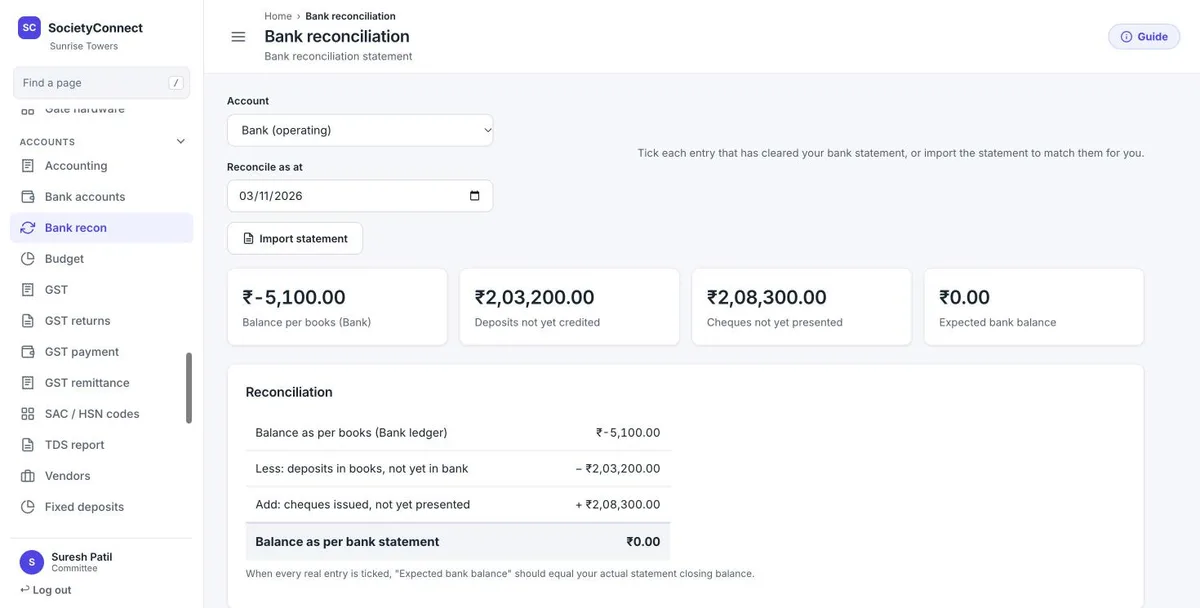
Choose the bank account and the date. SocietyConnect lays out the balance per books, deposits not yet credited and cheques not yet presented, and arrives at the balance the bank statement should show.
Tick entries by hand, or import the statement and let the system match them. Each of the society’s bank accounts reconciles on its own.
| Export | Format | Usually wanted by |
|---|---|---|
| General ledger and journal | CSV for Excel | Auditor, CA |
| Trial balance | CSV for Excel | Auditor |
| Income and expenditure, balance sheet | CSV for Excel | Committee, AGM papers |
| Payments and expenses registers | CSV for Excel | Auditor |
| Outstanding dues | CSV for Excel | Treasurer, recovery work |
| Journal vouchers with ledger masters | Tally XML | A CA who keeps the society’s books in Tally |
The Tally export goes one way, from SocietyConnect into Tally.
Tell your auditor these at the start.
We load your opening balances, connect your bank accounts and set up your auditor’s read-only login, free for 90 days.
It keeps the housing society’s books: maintenance income, member receivables, expenses, funds, bank accounts, GST and TDS. In SocietyConnect these post automatically from bills, payments and vendor bills, so the trial balance, income and expenditure and balance sheet are ready on any date.
Yes, one way. You can export the journals as Tally XML, with the ledger masters included so Tally creates any head it does not already have. Entries made in Tally do not flow back into SocietyConnect.
Yes. The committee creates a read-only auditor login. The auditor can view every report, ledger, bank reconciliation and the audit trail, and is blocked from making any change.
They sit on the balance sheet as funds, apart from income, which is how most auditors want them. Confirm the treatment for your society with your auditor.
Yes. It raises GST on bills for registered societies, records GST payments and gives GSTR-3B and GSTR-1 figures. On vendor bills it deducts TDS by section and rate, records the deposit and produces the 26Q report and Form 16A.
Yes. We load each flat’s arrears and each account head’s balance as on your start date from a spreadsheet, and the books carry on from there.
It is free for 90 days along with every other module. No card is needed and nothing is charged automatically. After that we give a written quote.
Every module on for 90 days, society accounting included. Our team loads your flats and dues, trains your guards, and nothing is charged automatically.
Free for 90 days with every module on. Our team loads your flats and dues and trains your guards.
We will call you within one business day to connect your society.
Or message us on WhatsApp