Attendance & Time
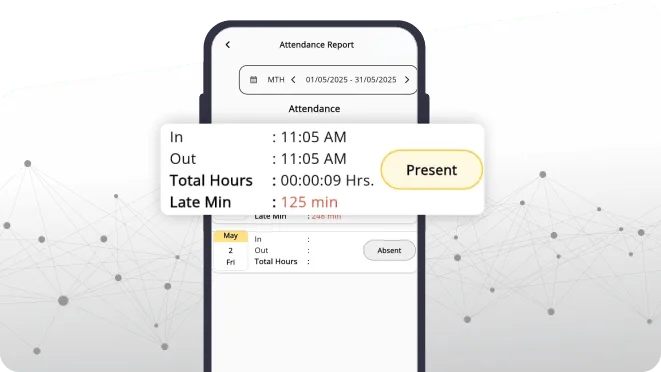
Selfie, face, GPS, geo-fence or Wi-Fi check-in, with shifts, overtime and leave in the same place.
Most growing companies end up with a fingerprint machine, three Excel files, a WhatsApp group and a drawer of bills. iPresent replaces all of them with one system that shares the same employee record.
An employee management system keeps everything about your people in one place: when they work, what they work on, what company equipment they hold, what they spend on the company’s behalf and what they are paid. iPresent does all of this from one employee record. Add a new joiner once and the same person shows up in attendance, timesheets, assets, claims and payroll.
iPresent by Infoways is a cloud product with an Android app, an iPhone app and a web dashboard. Infoways, based in Mahape, Navi Mumbai, handles the setup and support for companies in Mumbai, Thane, Pune and the rest of India. It suits a business that has outgrown a single register but does not want to buy and connect separate software for every job.
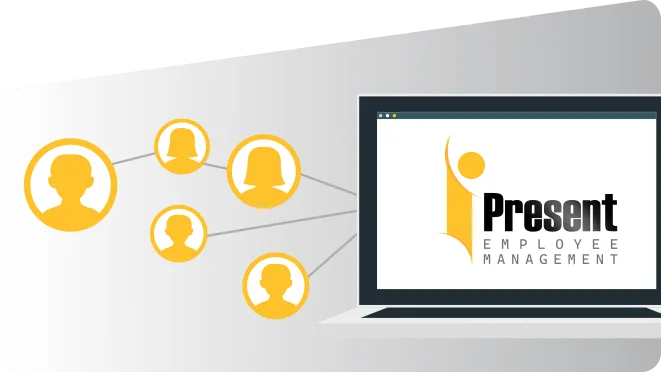
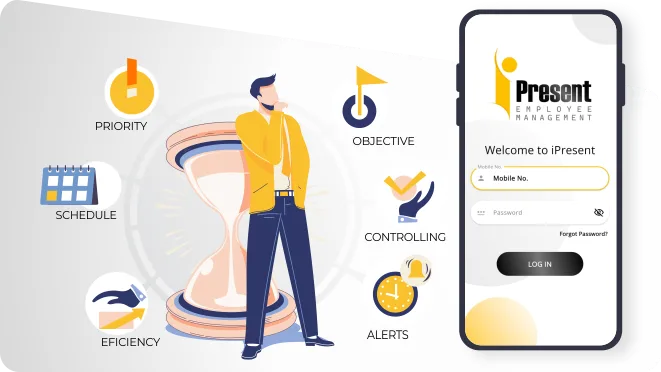
Every module reads from the same list of people, branches and shifts.
Selfie, face, GPS, geo-fence or Wi-Fi check-in, with shifts, overtime and leave in the same place.
Plan the day’s activities in advance, then see what was finished and how long each task took.
Who was given which laptop or phone, by whom and on what date, with returns checked off.
Advances, ticket requests and claims, approved in one tap and adjusted against the advance.
Staff update their profile, upload joining documents, apply leave and read policies themselves.
Salary structures by group and statutory reports on the Tally integrated plan.
Book a demo and Infoways will show you attendance, assets, claims and payroll working on one employee record, or start the 9-day free trial.
Book a Free DemoThe problem with separate tools is rarely the tool. It is the gaps between them.
| Job | 1Usual separate tool | 2Where it breaks | 3With iPresent |
|---|---|---|---|
| Attendance | Fingerprint machine at the main office | Field staff and other branches are left out | Every location and field worker on one attendance dashboard |
| Work done | Daily WhatsApp reports | Nobody adds them up, so output is a guess | Timesheets show planned vs completed per person |
| Company equipment | Excel sheet kept by IT or admin | Not updated when people leave | Assets tied to the employee, return checklist at exit |
| Claims and advances | Paper vouchers to accounts | Advances never get settled against bills | Advance adjusted when the claim is approved |
| Salary | Excel with attendance copied in by hand | Copy errors, late marks missed | Attendance and leave feed payroll directly |
You do not have to switch on every module. Many companies begin with attendance and assets on the Standard plan and add the rest later.
We list every register, sheet and group you use for staff work, and agree which ones iPresent will replace first.
We merge your HR sheet, payroll sheet and branch lists into one import, so codes, names and departments match everywhere.
Each branch gets its location and timing. Each team gets its approver for leave, claims and asset requests.
Your current laptop and phone list goes in through bulk upload, already assigned to the right people.
Managers learn approvals first, so requests from staff do not sit waiting on day one.
We review reports with you after the first pay cycle and adjust rules that need tuning.
Separate tools have hidden costs: a biometric machine and its yearly service, licences for two or three apps, and the hours someone spends copying data between them. iPresent has one price per user per year. Enterprise, which includes every module, is Rs 540 per app user per year. For 50 employees and one admin login that is Rs 27,000 plus Rs 3,600 for the web user, Rs 30,600 a year before GST.
If you do not need timesheets or claims, the Standard plan at Rs 270 is enough. All plans are on the iPresent pricing page, and you can also start from the HR management software overview.
First, importing a messy employee list. If the same person is spelt two ways in two sheets, you get two records. Clean the list once, before import, and every module stays tidy.
Second, giving every manager full dashboard access. Each web user costs Rs 3,600 a year and every extra login is another person who can change rules. Most managers only need to approve from the app.
Third, keeping the old tools running for months. A short overlap of a week or two is wise. After that, if the register stays, people keep using it and nothing changes.
Every part of the system has its own page.
Ask us on WhatsApp. A real person from our Navi Mumbai team replies.
Ask on WhatsAppIt is software that keeps your staff records and daily staff work in one place: attendance, tasks, equipment, claims, documents and pay. iPresent does this through a phone app for employees and a web dashboard for admins.
Yes. The Standard plan covers attendance, assets and self-service. Expenses and timesheets are separate plans, Enterprise has everything, and Tally payroll is an add-on.
Each site can have its own geo-fence, shifts and approver. Head office sees all sites together on one dashboard and can filter by branch.
The asset checklist shows what they still hold, pending claims and advances are visible, and their attendance and leave are ready for the final settlement.
Yes. Field staff use GPS check-in and can check in and out several times a day for client visits. Factory or site workers without phones can use face attendance on a shared device.
For most companies, data import and rules take a few days once Infoways has your employee list. Larger multi-branch setups take longer because each site has its own rules.
Very little. Staff mostly check in, apply leave and raise requests, which takes a few taps. Infoways runs a short session for them in Hindi, Marathi or English, and managers get a separate session on approvals.
Yes. There is a 9-day free trial, and Infoways can run a demo using your own branches and shifts.
Book a demo and Infoways will show you attendance, assets, claims and payroll working on one employee record, or start the 9-day free trial.
Book a Free DemoTell us what you want to achieve with your website, software, SEO or AI automation. We reply within one business day, usually the same day, with specific advice, at no cost and with no commitment.
We’ll go through what you send and get back to you within one business day, usually the same day.
Want a faster reply? WhatsApp us